How to find your world seed in Valheim
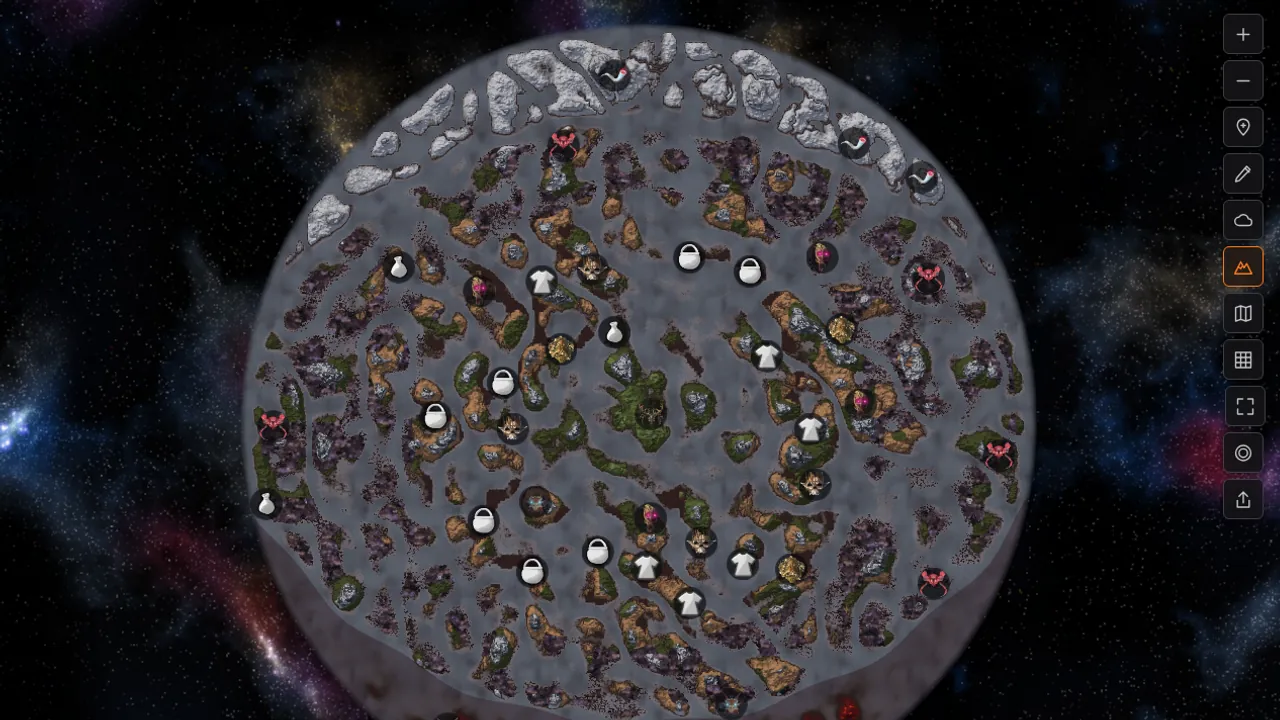
Every Valheim world is built from a seed: a short string of letters and numbers. Two worlds with the same seed are the same world. Same islands, same boss altars, same traders in the same spots. Once you know your seed, you can look at the whole map before you sail anywhere, send it to a friend, or open it on the Seed Map and plan a route.
Finding your Valheim seed takes about ten seconds. Which way depends on whose world you're in.
Your own world: the world list
Start the game, pick your character and open Select World. The seed is on the right side of each world's row, next to the icon that shows where the save lives (cloud or disk).
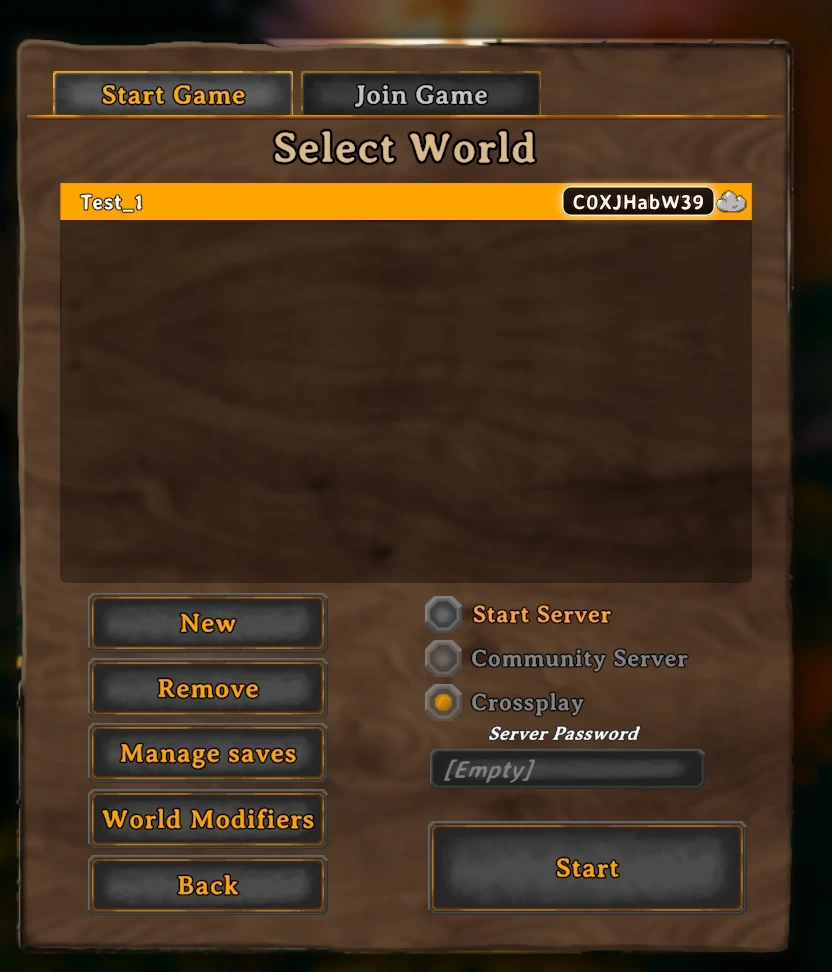
Copy it letter for letter. A zero and a capital O look almost the same in the game's font, and one wrong character gives you a different world.
A friend's world or a server: the console
When you join a world someone else hosts, it won't be in your list. Ask the console instead.
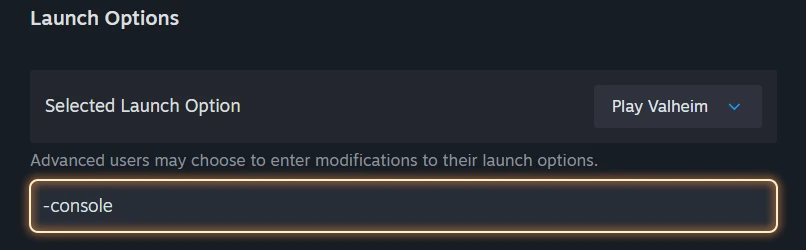
- In Steam, right-click Valheim, open Properties and type
-consoleinto Launch Options. - Start the game and join the world.
- Press F5, type
printseedsand hit Enter.
The game answers with a line like this:
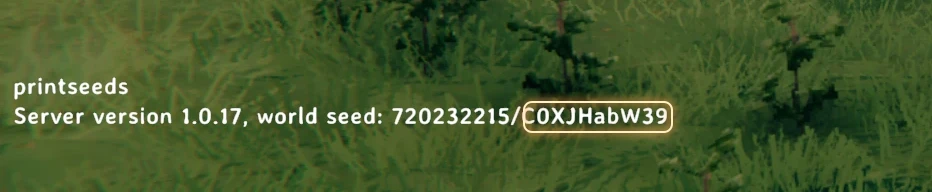
The number before the slash is just another form of the same seed. The text after the slash is the one you want. If you type the number into a map or a new world, you get a different world.
Console commands can switch off achievements on your character. If that happens and you want them back, type yesiuseddevcommandsbutiwantmyachievementsanyway in the console.
Making a world from a seed
Go to Start Game, open Select World and press New. The screen has a name field (five characters at least) and a seed field. The seed field comes with a random seed already filled in, so delete it and type or paste yours. Valheim seeds are up to 10 characters long.
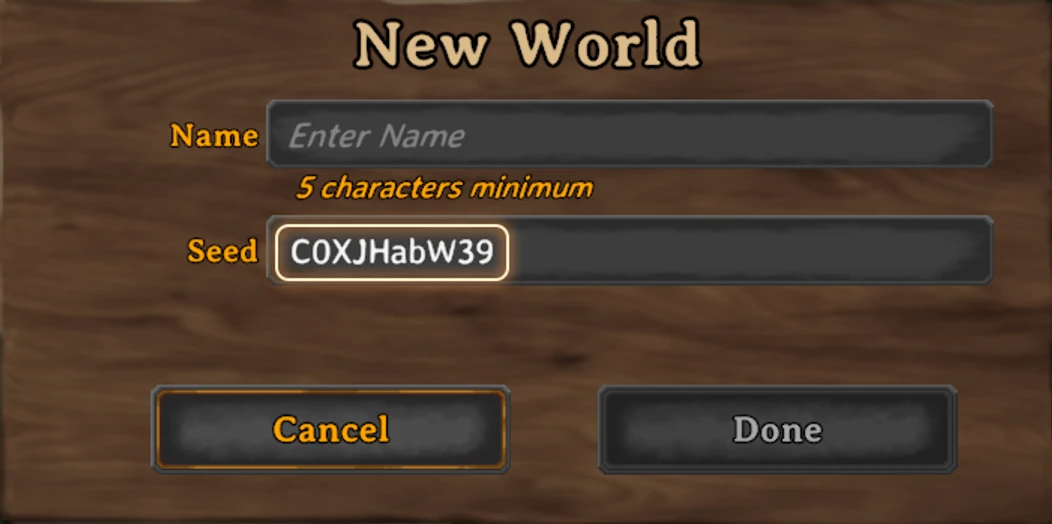
Press Done and the new world generates with the same layout.
Opening your seed on the Seed Map
Open the Seed Map, paste the seed into the World seed box and press Generate. In a few seconds you get the whole world: boss altars, traders, dungeons, caves and trials, enemy camps, ruins. You can filter by biome, search for a boss or a resource, drop your own pins and draw on the map.
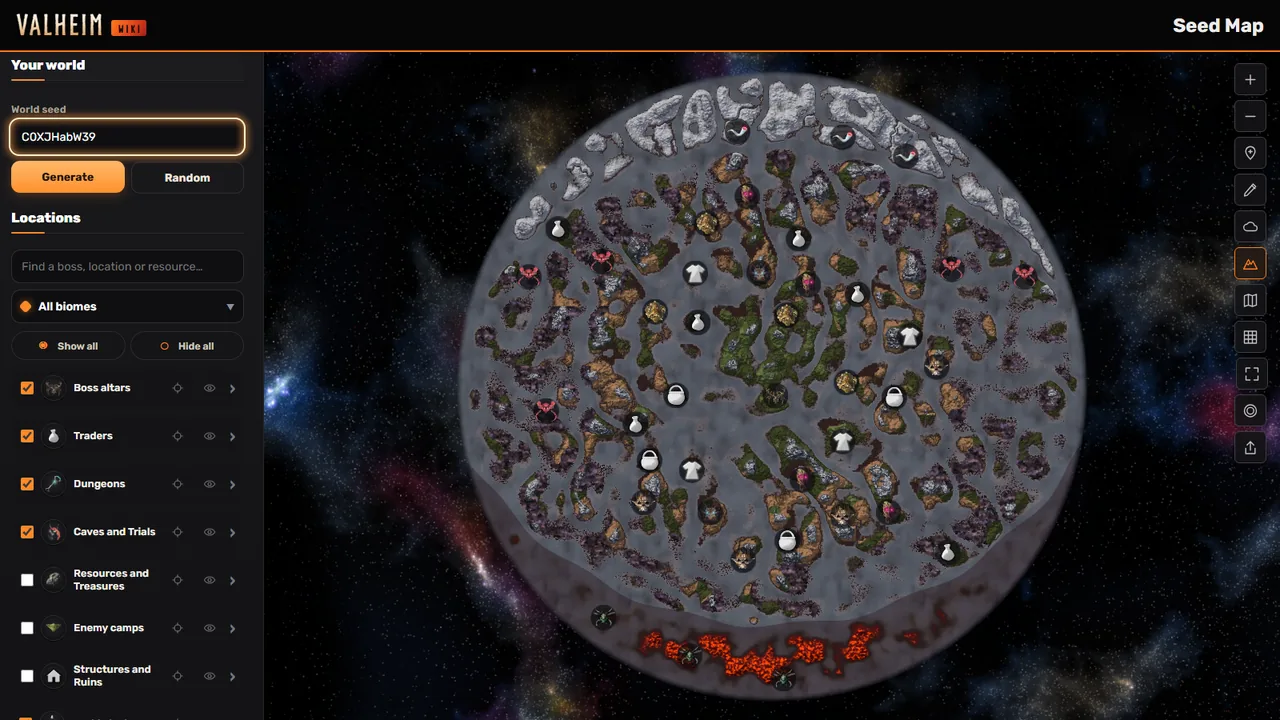
The map shows how the world was generated, so it won't show your base or anything you've built. For planning it is usually enough: where Eikthyr is, which way the nearest trader sits, where the Swamp starts.
When the map doesn't match your world
- You typed the world's name. The name is only a label. The seed is the other string.
- 0 and O, or l and I. Check each character against the game.
- You pasted the number from
printseeds. Use the text after the slash. - The seed is longer than 10 characters. Valheim seeds are up to 10 characters, so if you copied more, you probably grabbed extra text.